
Game guide
Winbox Fishing Games
The fish shooting games in the Winbox MY lobby, how a round works, and how to keep your spending in check.
What Winbox fishing games are
Fishing games, also called fish shooting games, are a favourite in Malaysian online lobbies. Instead of spinning reels, you sit at the edge of a big underwater screen and fire at the fish that swim past.
Each shot costs the amount you choose in RM. When a shot catches a fish, the game pays out based on that fish. Small fish are common and pay a little; large fish, bosses and special creatures turn up less often and pay more. The titles below are WD fishing games shown for Winbox.
Fishing games in the lobby
Titles shown for Winbox. Swipe to browse. The tiles are not playable here: tapping one opens Winbox.
Fishing 5 games
Shooting-style fishing games from WD.



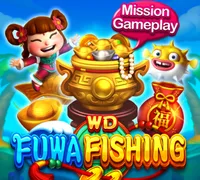
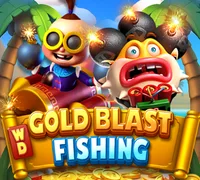
Arcade 12 games
Slot gamesOther quick-round games that sit near the fishing games: claws, races and blasters.
 Incan AdventurePlay on Winbox
 WP Golden SharkPlay on Winbox
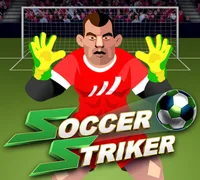 Soccer StrikerPlay on Winbox
 Forest PartyPlay on Winbox
 Happy Monster ClawPlay on Winbox
 Lightning FortunesPlay on Winbox
 WP Golden Pig RacePlay on Winbox
 Monster BlastPlay on Winbox
 Fruit BlastPlay on Winbox
 Lucky Twins CatcherPlay on Winbox
 WP TavernPlay on Winbox
 The Incredible Balloon MachinePlay on Winbox
The parts of a fishing game
Names differ between games, but most share these pieces.
Rooms and shot value
Games are often split into rooms with different shot ranges. Inside a room you raise or lower the cost of each shot. A higher value can pay more per catch, but it also empties your balance faster.
Fish values
Each fish pays a multiple of your shot value. The game’s info screen lists what each fish pays. Bigger fish usually take more hits before they are caught.
Bosses and special weapons
Many games add boss fish, bonus creatures or special weapons such as bombs or lasers that hit several fish at once. How they work is different in every title, so read the rules first.
Auto-fire and lock-on
Auto-fire keeps shooting without tapping, and lock-on follows one target. They save effort but spend quickly, so pair them with a clear limit.
Before you shoot
Start small. Pick the lowest shot value while you learn how the fish move and what they pay.
Read the fish table. Open the info screen once per game. It shows every fish, its payout and any special rules.
Watch the balance, not the screen. A busy screen full of catches can hide how much you have spent. Check your balance every few minutes.
Turn sideways. Fishing games are built for a wide screen. Rotating your phone gives you more space to aim.
How to start with Winbox fishing games
The same order works on H5 and in the app.
Log in or register
Open Winbox and log in. New here? Register first and follow the on-screen prompts.
Find the fishing games
In the lobby, open the section that lists fishing games. Depending on the lobby layout, they may sit under Fishing, Arcade or Slots. Use search if there is one.
Pick a room and a shot value
Most fishing games let you choose a room and set the cost of each shot in RM. Start with a low value while you learn the game.
Aim, shoot and watch your balance
Tap to aim and fire at the fish. Each shot costs your chosen value, and fish you catch pay out. Keep an eye on your balance and stop at your limit.
Studios in the lobby
Some studios whose logos appear in the Winbox lobby. The fishing titles shown on this page are WD games; which games each studio lists can change, so check the lobby.



18+ · Play responsibly
Keep it fun
Fishing games feel like arcade games, but every shot costs real money and shots add up fast, especially with auto-fire. Set a budget in RM before you start, turn off auto-fire when you want to slow down, and stop when you reach your limit. Which fish you catch is decided by the game, not by skill alone.
Responsible gaming tipsWinbox fishing questions
Short answers for this part of the lobby.
How do Winbox fishing games work?
You fire shots at fish swimming across the screen. Each shot costs the amount you set, and when a shot catches a fish, you get paid according to that fish. Bigger or special fish usually pay more but are harder to catch. The rules screen in each game explains its fish and features.
Is a fishing game a game of skill?
Aim matters a little, but whether a shot catches a fish is decided by the game’s random outcome. Treat it like any other casino game: set a budget and do not expect to win it back by playing longer.
What is auto-fire?
Many fishing games have an auto-fire or auto-aim button that keeps shooting for you. It is convenient, but it spends your balance quickly. Use it with a clear limit, or leave it off.
Can I play fishing games on my phone?
Yes. Fishing games open inside the Winbox lobby on H5 or in the app. Turning your phone sideways usually gives you more room to aim.